Photos
Photos to PDF with a small file size: choose the page size first
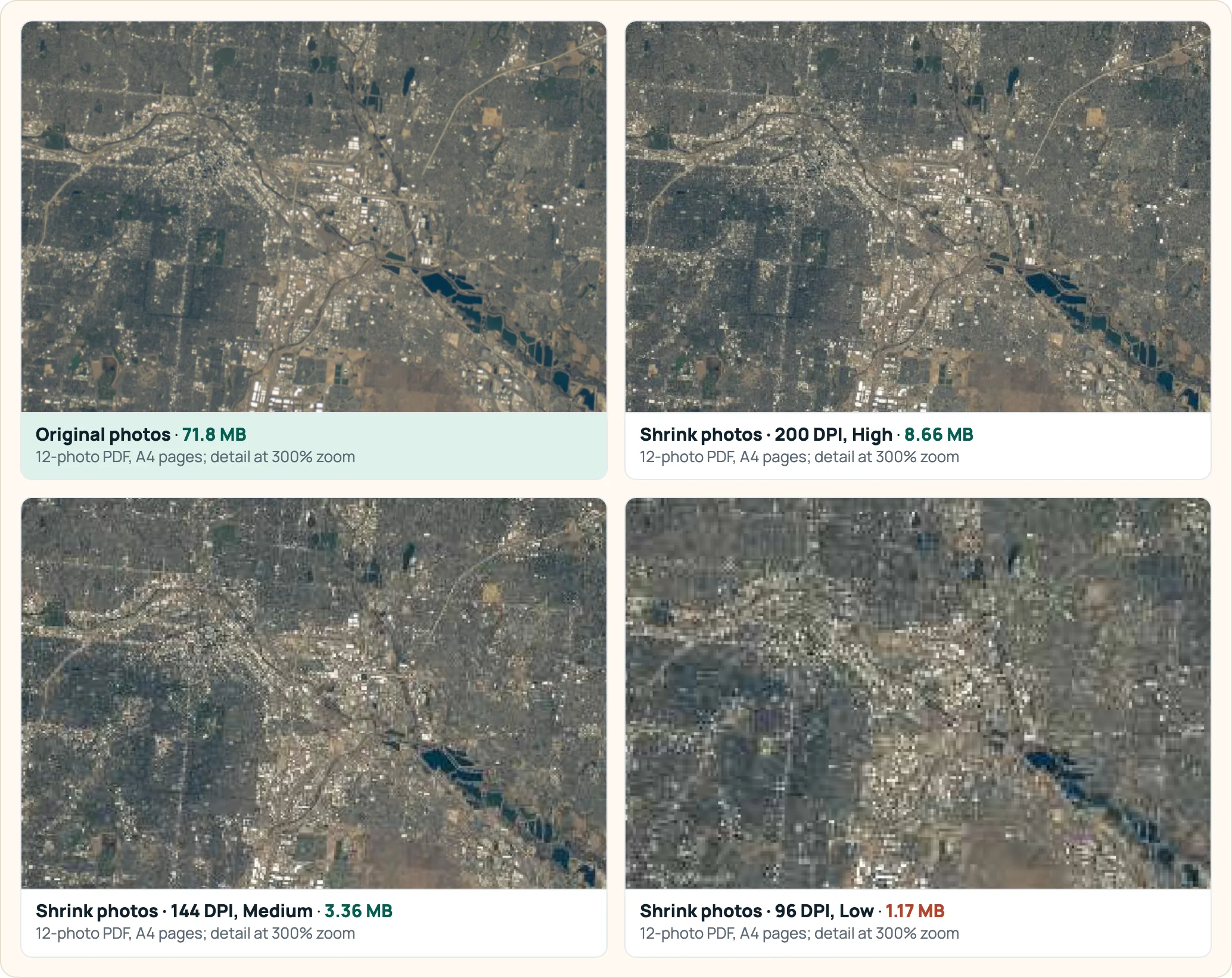
Choose A4 or Letter pages, not “Fit image”, if the PDF must be small. Our twelve camera photos made a 71.8 MB PDF either way, but with A4 pages PDFnook's Shrink photos brought it to 8.66 MB at 200 DPI and 3.36 MB at 144 DPI. With fit-to-image pages the same settings gave 66.8 MB and 52.1 MB, because each page is as large as the photo.
The test
Twelve NASA astronaut photographs, ten from a Nikon Z 9 (8,256 × 5,504 pixels, 45 megapixels) and two from a Nikon D4 (4,928 × 2,768), 71.8 MB of JPEGs in total. NASA imagery is generally not subject to copyright (NASA guidelines). We turned them into one PDF with Images to PDF twice: once with the default page size, Fit image, and once with A4 and a small margin.
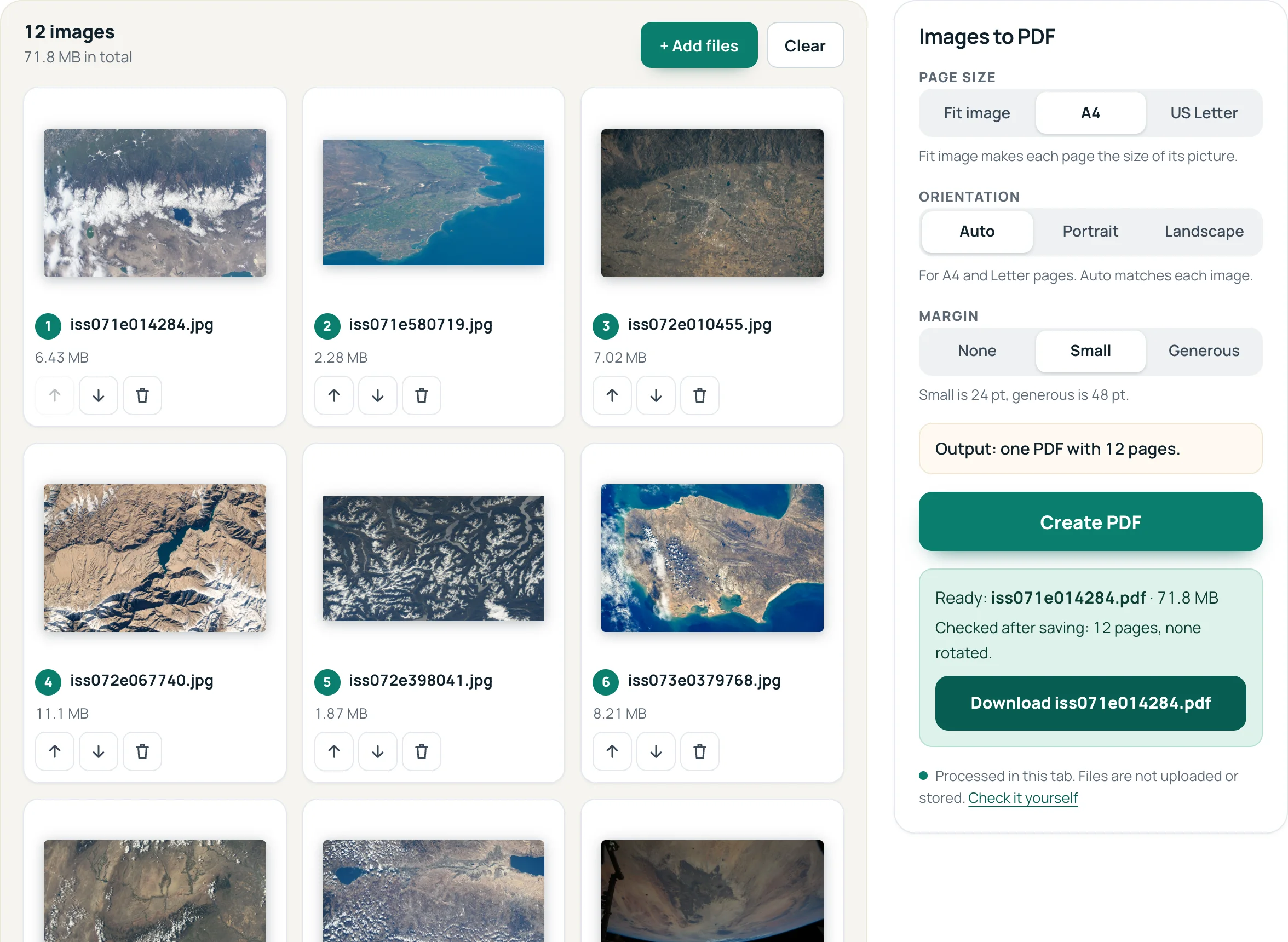
Both PDFs came out at 71.8 MB, 4,954 bytes more than the photos themselves. JPEG photos are placed in the PDF unchanged, so converting neither loses quality nor saves space. The size is decided in the next step.
Same photos, same settings, very different results
| Photo setting | A4 pages | Fit-image pages |
|---|---|---|
| No compression | 71.8 MB | 71.8 MB |
| 200 DPI, High | 8.66 MB | 66.8 MB |
| 144 DPI, Medium | 3.36 MB | 52.1 MB |
| 120 DPI, Medium | 2.45 MB | 52.1 MB |
| 96 DPI, Low | 1.17 MB | 38.0 MB |
| 72 DPI, Very low | 554 KB | 25.1 MB |
PDFnook “Shrink photos, keep text” on the PDF from Images to PDF.
The reason is in what “DPI” means inside a PDF. A PDF measures pages in points, 72 to the inch. Shrink photos limits each photo's long side to the page's long side in inches × the DPI you pick:
- A4 landscape page, 842 points = 11.7 in. At 200 DPI: 842 ÷ 72 × 200 = 2,339 pixels. The 8,256-pixel photo is scaled down to that, keeping 8% of its pixels.
- Fit-image page: the page is made as many points wide as the photo has pixels, 8,256 points = 114.7 in. At 200 DPI the limit is 8,256 ÷ 72 × 200 = 22,933 pixels, larger than the photo, so nothing is scaled; only the JPEG quality changes.
That is also why 144 and 120 DPI gave the same 52.1 MB on fit-image pages: both used Medium quality, and neither scaled the photos at all.
How to make a small PDF from photos
- In Images to PDF, choose A4 or US Letter and a margin. Orientation Auto turns each page to match its photo.
- Create the PDF, then open it in Compress PDF.
- Choose Shrink photos, keep text with 144 DPI, Medium, or set a target such as 1 MB or a custom size for email.
For the email limits and how much room base64 encoding takes, see PDF too large to email; for other reasons a PDF gets large, see why is my PDF so large.
Photos from a phone
We tested camera photos, not phone photos. Two things about the tool matter for phones. Images to PDF reads JPG, PNG and WebP; iPhone HEIC photos have to be converted to JPG first. And a JPEG that carries a rotation tag is redrawn upright when it is added and stored as a lossless image; Shrink photos works on JPEG photos only, so it leaves such pages as they are, and an Image-based copy is the method that reduces them.
Questions
Does converting JPG to PDF reduce quality?
Not in PDFnook: JPEG photos are placed in the PDF unchanged. Our twelve photos (71.8 MB) made a 71.8 MB PDF.
Why is my PDF of photos so large?
Because a PDF made from photos keeps every pixel of them: our twelve 45-megapixel camera photos made a 71.8 MB PDF. Choose a paper page size and shrink the photos to the resolution that page needs.
What page size should I use for a small PDF?
A4 or US Letter. The resolution you choose when compressing is then measured against a real paper size, so the photos are scaled to what that page can show.
Sources
- NASA Images and Media Usage Guidelines
- NASA Image and Video Library: iss072e010455 (Denver) — the photo in the detail crop